
Line-Length Choices That Survive Code Review
Line-length choice sounds like a bike-shed argument. It becomes a real problem the first time a reviewer opens a Bundle diff in a two-panel code review tool and every fourth line scrolls horizontally. Reviewers who scroll do not review. That is a code-quality tax specific to JSON payloads and worth spending an afternoon getting right. The site's FHIR JSON tidier supports a configurable width; the choice is what to pin down. For the wider FHIR framing, the broader FHIR coverage on this site has more.
The Common Options
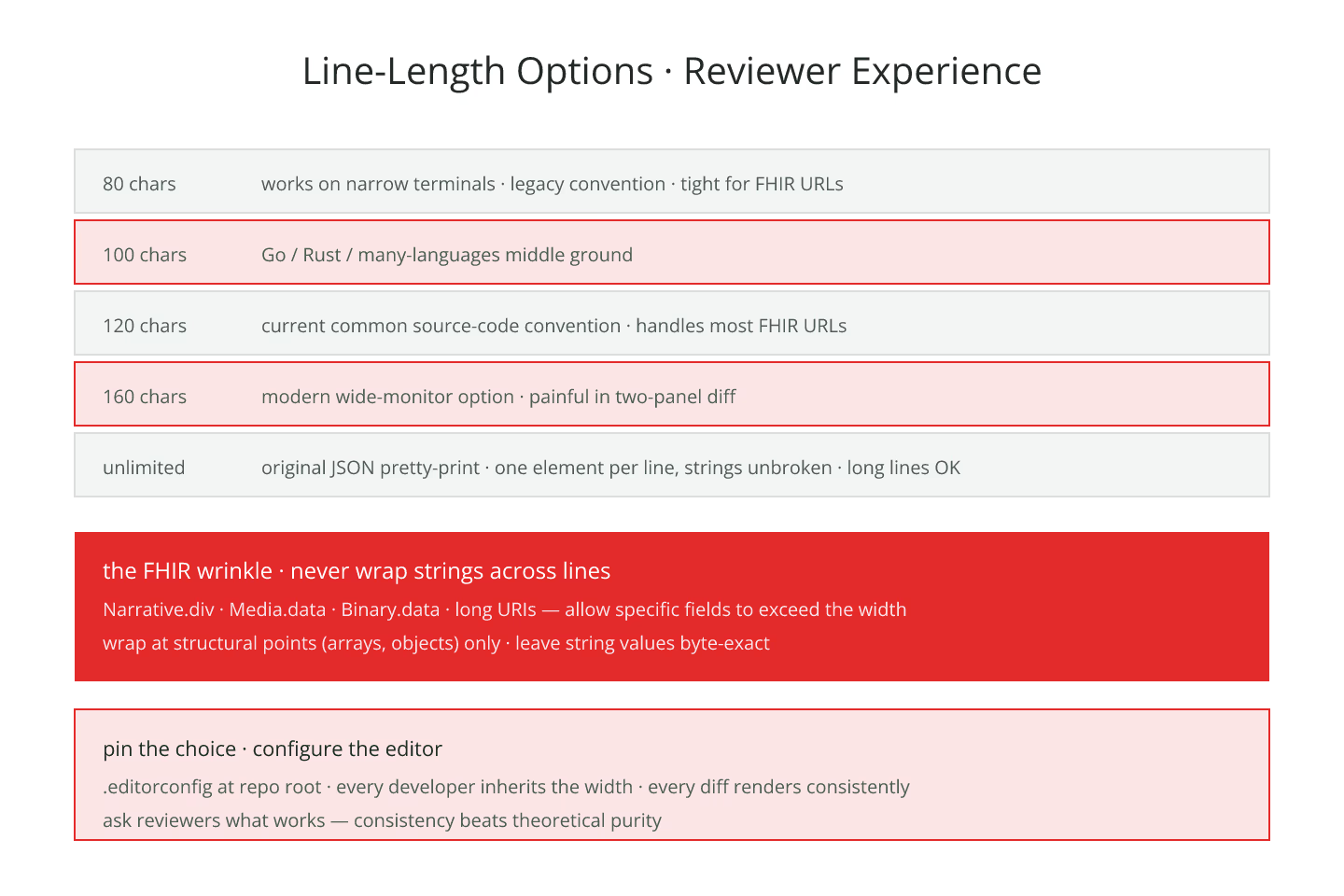
- 80 characters — old convention, works on narrow terminals
- 100 characters — the Go/Rust/many-languages middle ground
- 120 characters — the current common source-code convention
- 160 characters — the "modern wide monitor" option
- Unlimited — original JSON, one element per line but strings unbroken
Each fits some workflows and breaks others.
Where Long Lines Hurt
- Two-panel diff review — half your monitor per side
- Terminal grep output on a 132-column terminal
- Printed Bundles for regulatory review
- Mobile access on tablets or phones for on-call review
If any of those matter to your team, cap the line length.
The FHIR-Specific Wrinkle
FHIR resources contain a handful of long-string fields:
Narrative.div— HTML narrative, often longMedia.data— base64 attachment contentBinary.data— raw base64 payload- Long URIs in
systemorurlfields
Each of these is naturally long. A width cap that wraps them produces multi-line strings that are ugly and may not roundtrip in every JSON parser. The right pattern is to allow specific fields to exceed the width, or to store Media.data and Binary.data externally where practical.
For the reference-preservation implications, keeping references intact after pretty-printing is the entry.
String Wrapping Is Risky
Wrapping a JSON string across multiple lines requires inserting \n escape sequences and continuation. Some tools do this well; some produce invalid JSON. Some tools do it in a way that changes the string's parsed value.
The safe rule: do not wrap strings inside JSON. Break at structural points — arrays, objects — and leave strings alone.
Consistency Trumps Choice
An 80-character team is fine. A 120-character team is fine. A team where different files use different widths is not fine.
Pin one width across every Bundle in your repository. For the convention side, formatting conventions your team should pin down is the entry.
Base64 In Bundles
Media.data and Binary.data are the reason many teams hit line-length problems. A 100 kb image encoded as base64 is roughly 130 kb of text — one giant string.
Options:
- Store binaries externally, reference them by URL
- Split base64 across multiple lines with
\n(works if your tool handles it, but produces invalid strict JSON — verify) - Accept the long line for the specific
datafield only
External storage is the safest. For the memory implications, pretty-printing large Bundles without blowing memory is the entry.
Reviewer Experience Trumps All
Ask the team members who spend the most time reviewing diffs what width they prefer. Match your convention to their workflow. That single question saves a category of friction that pure convention-picking does not.
Editor Configuration
Every editor that opens Bundles should have the same width setting. Configure it in the repository's editor configuration file. Every new engineer picks it up automatically.
For the base diff-friendliness patterns, diff-friendly formatting for Bundles under version control is the entry.
The Short Version
Pick a width. Do not wrap strings. Handle base64 as a special case. Pin the convention in editor config. Ask reviewers what works for them. Consistency matters more than the specific number.
Sources
- HL7 canonical FHIR JSON representation specification - HL7 canonical FHIR JSON representation specification